How to Remember Movement Breaks When Work Gets Absorbing
Anchor movement to natural workday waypoints so you change position without relying on aggressive alarms or raw willpower.
https://primetempr.com/blog/how-to-remember-movement-breaks-when-work-gets-absorbing
When deadline pressure mounts and work gets absorbing, memory fails and hours pass without a single position change or movement break. Relying on memory during hyper-focused work fails because deep concentration crowds out physical awareness. The reliable fix is anchoring movement to automatic workday cues rather than willpower.
A workstation should support neutral, comfortable positions, but even a good setup should allow regular changes of position. Yet, when you are deep into a complex document or troubleshooting an urgent request, your brain filters out physical sensations. This makes standard reminders ineffective.
Why deep focus makes you forget to move
Concentration requires narrowing your attention. As you become absorbed in a screen task, your nervous system prioritizes cognitive output while dampening bodily signals. Hours slip by. Your shoulders hunch, your hips stay locked at a ninety-degree angle, and you remain entirely unaware of the static posture until discomfort sets in.
Because attention is scarce during intense work, trying to remember to pause is an uphill battle. Expecting your conscious mind to interrupt a deep flow state creates friction. You either forget the intention entirely or resent the interruption when it finally occurs.
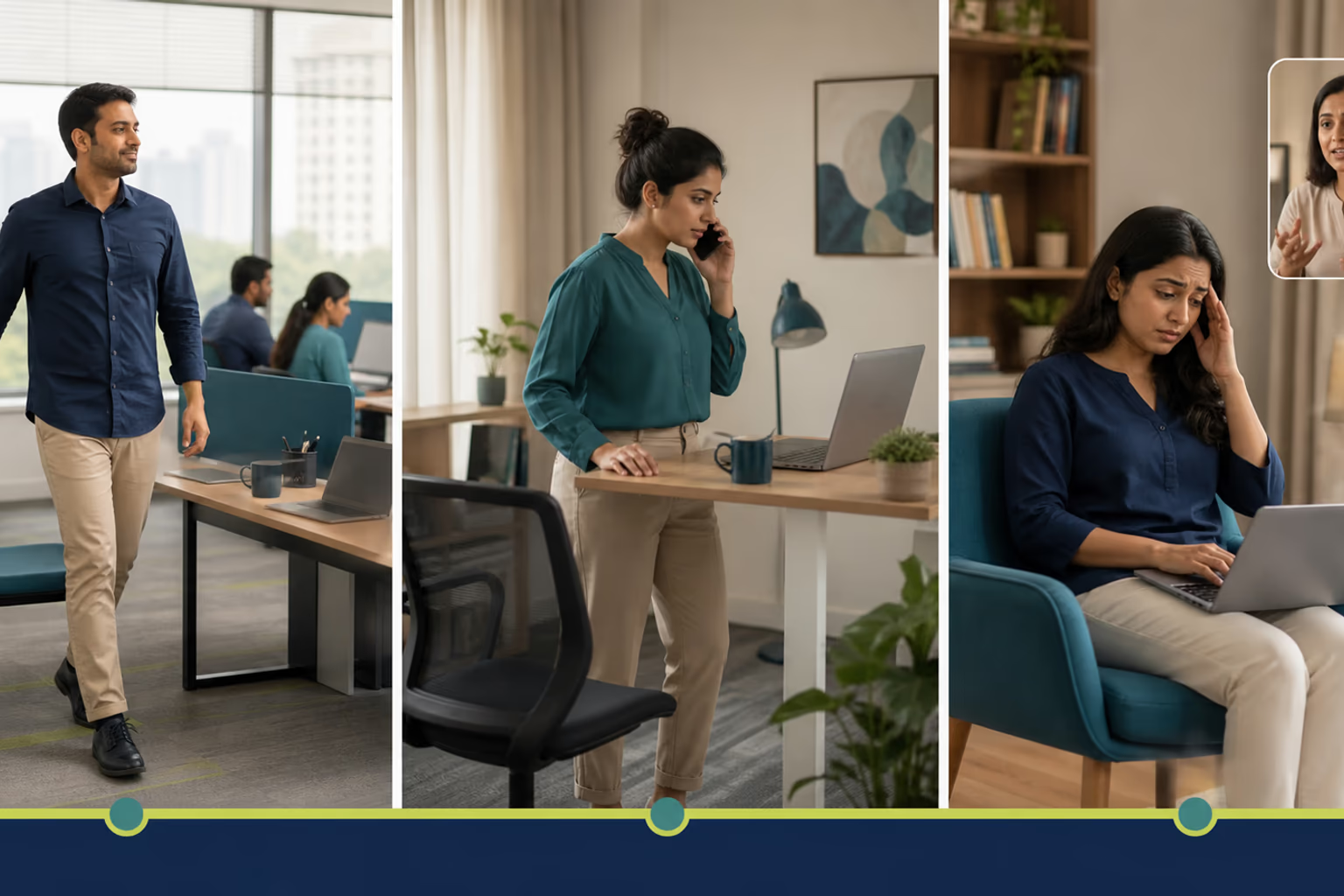
The failure of willpower and digital assumptions
Many desk workers attempt to solve this by setting strict hourly alarms or installing aggressive pop-up reminders. In practice, these tools often fail. When a loud chime rings out while you are in the middle of a delicate sentence, your immediate reaction is to silence it or click away.
Harsh alarm schedules interrupt deep flow and end up being muted or ignored entirely. Turning movement breaks into an all-or-nothing fitness workout feels too disruptive to start. If a movement break requires changing clothes, rolling out a mat, or committing to twenty minutes of exercise, you will postpone it every time a deadline looms.
Anchoring movement to natural workday waypoints
Instead of fighting your focus with digital alarms, tie physical changes to existing transitions that already happen naturally in your day. This technique bypasses the need for raw willpower.
You can anchor micro-movements to natural waypoints such as the end of a phone call, the moment you save a major file, or the ritual of preparing a beverage. All physical activity counts, any amount is better than none, and adults should limit sedentary time. By attaching a small physical shift to an event you already do without thinking, movement becomes part of the workflow rather than a chore interrupting it.
If your alarm or trigger system fails during an intense sprint, reset immediately at the next natural transition, such as closing a browser tab or finishing a call, with a single two-minute position change.
The minimum version versus the normal version
To keep movement sustainable, separate your minimum version from your normal version.
The minimum version requires zero equipment and takes under sixty seconds. When you finish a video call, remain standing for the final sixty seconds while wrapping up your notes, or press back from the desk to stretch your wrists and neck. This minimal effort breaks the static loop without derailing your momentum.
The normal version expands slightly when time permits. This might involve stepping away from the desk to drink a glass of water, walking to a window for a minute of distance viewing, or performing a brief standing stretch routine.
| Approach | Time Investment | Disruption Level | Best Used When |
|---|---|---|---|
| Minimum Version | 30 to 60 seconds | Negligible | Tight deadlines, heavy focus sprints |
| Normal Version | 5 to 10 minutes | Low to Moderate | Natural lulls, lunch breaks, task transitions |
These methods involve practical trade-offs. Automatic triggers rely on existing routines, meaning if your daily schedule is chaotic, your movement cues will need periodic adjustment. Additionally, gentle movement breaks break focus briefly, which requires a minute to re-engage with your task afterwards.
Your workday movement anchor menu
Use this decision guide to select one or two sustainable cues for your current work rhythm. Choose options that fit your environment without requiring major friction.
- Anchor 1: Stand up or stretch during the final two minutes of every video call.
- Anchor 2: Link a micro-movement to every cup of water, tea, or coffee.
- Anchor 3: Do a seated hand and shoulder check when saving a major file or closing a project window.
- Anchor 4: Take a 15-minute walking loop during your main lunch break.
- Anchor 5: Explore trainer-led routines via Prime Tempr when self-directed habits need a fresh structure.
Prime Tempr helps desk-based readers compare trainers, short practices and nearby classes when self-directed movement breaks need more structure or personal observation. You can also review guidance on How to Use Chai Breaks as Movement Reminders or explore A Realistic Movement Plan for a Nine-Hour Desk Job to refine your daily pacing. If you want external guidance to build consistency, you can Find practical movement support through verified local professionals.
Sources
- Computer Workstations, Occupational Safety and Health Administration (OSHA), https://www.osha.gov/etools/computer-workstations (opens in a new tab)
- Physical Activity Fact Sheet, World Health Organization (WHO), https://www.who.int/news-room/fact-sheets/detail/physical-activity (opens in a new tab)
- Computer Workstations (opens in a new tab)
- Physical activity (opens in a new tab)
Watch alongside this guide
Five movements you can do at your desk
This concise Mayo Clinic demonstration gives readers a visual menu for changing position during a workday. Use only comfortable options and stop for pain, dizziness, numbness or unusual symptoms.
The YouTube player stays unloaded until you choose to watch. Loading it connects to YouTube and may allow that service to process usage data.